
How to Get Faster, More Stable Gaming
If you’re a gamer on the Gold Coast, you already know that having a fast internet plan doesn’t always mean you get a great gaming experience.
And as a gamer myself, we’ve got a list of excuses in our excuse book as to why our game didn’t go so well and one of my favourites is blaming the internet connection. Let’s face it, we’ve got better things to do than iron out our internet connection issues; like playing more games 😊
No doubt you’re paying for a high-speed NBN connection, (well you ought to be), and if you still experience:
- High ping
- Random lag spikes
- Packet loss
- Games disconnecting
- Slow downloads
- Wi-Fi dropouts
- Other people in the house affecting your connection
The good news is that the problem isn’t always your internet provider or NBN plan.
In many homes, the issue is actually the connection between your gaming PC or console and your home network.
What Should I Do?
For the most stable gaming connection, Ethernet is usually the best option. But if running Ethernet isn’t practical, a properly configured mesh Wi-Fi system can also provide excellent results. Before upgrading your NBN plan, it’s worth checking whether the problem is actually your home network.
At Internet Magic Gold Coast, we help homeowners improve their home internet and Wi-Fi setups, including running Ethernet connections directly to gaming PCs, PlayStation and Xbox consoles.
If you’re having problems with your gaming internet on the Gold Coast, call Internet Magic Gold Coast on 0452 525 615.
What Is the Best Internet Connection for Gaming?
For most serious gamers, the ideal setup is:
NBN Connection → Modem/Router → Ethernet Cable → Gaming PC or Console
A wired Ethernet connection is generally more stable than Wi-Fi because the connection doesn’t have to travel through:
- Walls
- Floors
- Brickwork
- Concrete
- Other wireless interference
Wi-Fi technology has improved dramatically, and modern Wi-Fi can provide excellent speeds. However, for devices where stability and low latency are important, a properly installed Ethernet connection is often the best option.
This is particularly useful for:
- Gaming PCs
- PlayStation 5
- Xbox Series X and Series S
- Gaming rooms
- Home offices
- Media rooms
To summarise…. If you want the internet connection to your gaming pc to be receiving the best, most stable feed, you’re going to want a cable running directly from the PC to your home network, usually via your router or network switch. Which means, you’re going to need a cable monkey like Internet Magic to do your dirty work. Work that often involves getting in the ceiling, crawling under homes, getting dirty, sweaty and fighting off spiders and dreadnaughts (maybe). Our Gold Coast Internet technicians, including myself are skilled at running new data cable points in homes and helping keep your character alive!
Is Faster Internet Better for Gaming?
Not necessarily.
This is something many gamers get wrong.
Having a faster NBN plan can improve things such as:
- Game downloads
- Updates
- Multiple people using the internet
- Streaming and downloading at the same time
But raw download speed doesn’t automatically reduce your gaming ping.
For example, someone with a 100 Mbps connection using a stable Ethernet connection may have a better gaming experience than someone with a 1000 Mbps connection experiencing:
- Poor Wi-Fi coverage
- Wireless interference
- Packet loss
- Network congestion
- An unstable router connection
For online gaming, stability is often just as important as speed. A faster NBN plan gives you more bandwidth, but it doesn’t automatically give you lower ping. For gaming, latency, stability and packet loss can be just as important as download speed
The important thing is finding out where the problem actually is.
Before spending money upgrading your NBN plan, buying a new router or installing a mesh system, it can be worth testing the connection at different points around your home.
If the connection is excellent at the router but poor in the gaming room, that’s a very different problem from having a poor connection coming into the home in the first place.
Why Is My Ping So High When Gaming?
Ping is the time it takes for information to travel between your gaming device and the game server.
A high ping can make games feel delayed or unresponsive.
There are several possible causes.
Wi-Fi Problems
If your gaming device is connected via Wi-Fi, the signal may be affected by:
- Distance from the router
- Walls and floors
- Interference from other devices
- Weak signal strength
- Other people using the Wi-Fi
You might have excellent internet speed near your modem but poor performance in your bedroom or gaming room.
Recently we attended a gaming family’s home in Benowa and our job was to basically run data cable from their garage out to the four adult kids’ bedrooms to their PCs and also the parents gaming “dungeon”. A funny story here. When I arrived, I knocked on the door and the parent took a little while to answer, they came by and said “can I wait 5 mins they’re in the middle of the boss fight” haha, I kid you not.
Game Server Location
Not every high-ping problem can be fixed inside your home.
If you’re playing on a game server located overseas, the physical distance between Australia and that server can increase your ping.
Running an Ethernet cable through your house isn’t going to magically make an American or European game server physically closer to the Gold Coast!
However, if your home Wi-Fi connection is adding instability, packet loss or latency, improving your home network can still improve your overall gaming experience.
Other People Using the Internet
Modern homes can have dozens of devices connected to the internet.
For example:
- Smart TVs streaming Netflix
- Foxtel streaming
- Security cameras
- Mobile phones
- Tablets
- Computers
- Smart home devices
Large downloads and video streaming can sometimes affect gaming performance, particularly if your home network isn’t configured properly.
If you’d rather just get on with gaming than learn about all this, call Internet Magic Gold Coast on 0452 525 615 for in-home assistance.
Wi-Fi vs Ethernet for Gaming
Wi-Fi for Gaming
Wi-Fi is convenient and can work perfectly well in many situations.
Modern Wi-Fi systems are capable of excellent speeds, especially when:
- The gaming device is close to the router
- Signal strength is strong
- There is little interference
- The home has a good wireless network
However, Wi-Fi can be unpredictable.
You might have a perfect connection one day and experience lag or instability the next.
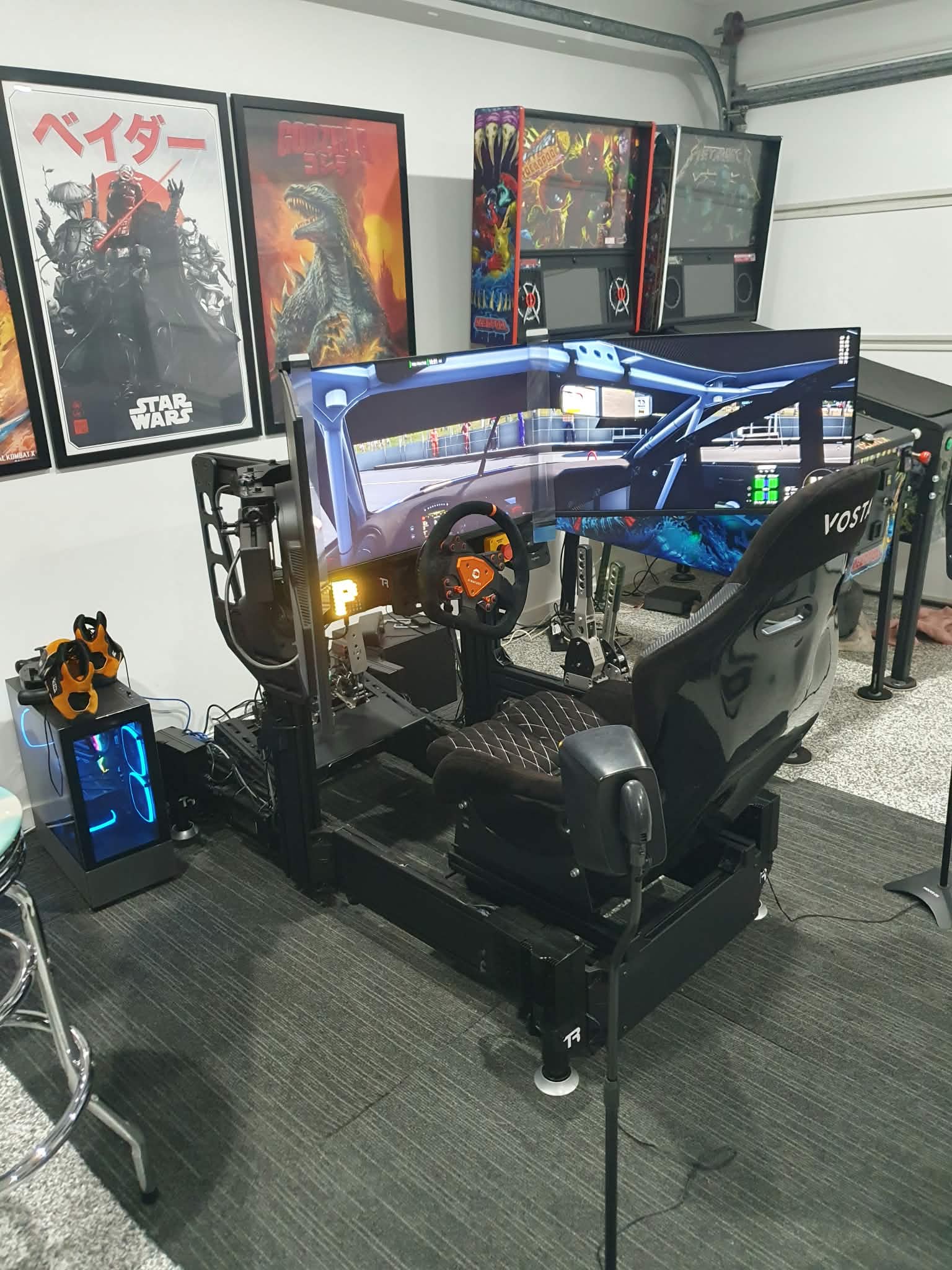
I’ve personally experienced my best rage-quit moments when I was using WiFi. I lived in Pimpama at the time and my main hobby was sim racing. I was about to win a race which I’d practiced for all week and my darn internet started playing up, I crashed and lets just say some stern words were said out aloud.
Ethernet for Gaming
Ethernet provides a physical connection between your gaming device and your network.
This can provide:
- A more stable connection
- Less wireless interference
- Consistent performance
- Lower local network latency
- Reduced chance of Wi-Fi dropouts
For serious gaming setups, Ethernet is often the preferred option.
The challenge for many Gold Coast homes is simply:
How do you get an Ethernet cable from the modem to the gaming room without running an ugly cable through the hallway?
That’s where professional data cabling can help.
Can You Run Ethernet to My Gaming Room?
Yes.
At Internet Magic Gold Coast, we can assess your home and determine the best way to provide a wired network connection to your gaming setup.
Depending on the home, this may involve running Ethernet cable:
- Through the roof space
- Through wall cavities
- Under the home
- Through conduit
- To an Ethernet wall plate
Every home is different, so the best solution depends on the construction and layout of your property.
Our goal is to provide a reliable connection while keeping the installation as neat as possible.
In my own home in Helensvale, after I received an NBN upgrade from fibre to the node to fibre to my home, the new nbn termination was located on the other side of my house, nowhere near my existing data cabling hub. The problem was that my home is two-storey, and there was no easy way to get a cable from one side to the other. I ended up having to run data cable up the external wall of my home, into the top floor ceiling space, across the home upstairs, then back down the void to the garage on the other side of the home and into the existing data cable hub. It was a mission!
Is Ethernet Better Than a Wi-Fi Extender for Gaming?
In many situations, yes.
A Wi-Fi extender can sometimes improve wireless coverage, but it is still relying on a wireless connection.
This means the extender itself can experience:
- Weak signal
- Interference
- Poor placement
- Reduced performance
A properly installed Ethernet connection provides a direct physical connection back to your home network.
For a permanent gaming setup, this is often the more reliable solution.
What About Mesh Wi-Fi for Gaming?
Mesh Wi-Fi can be an excellent solution for improving Wi-Fi coverage throughout a home.
A mesh system uses multiple Wi-Fi access points to improve coverage in different areas.
For example:
Main Router → Mesh Unit → Gaming Room
This can be much better than relying on a weak Wi-Fi signal from a router located at the other end of the house.
However, if you’re building a serious gaming setup and Ethernet cabling is practical, we would generally recommend considering a wired connection.
In some homes, the best solution is actually a combination of both:
Ethernet Cabling + Mesh Wi-Fi
This can provide:
- Wired connections for important devices
- Strong Wi-Fi throughout the home
- Better coverage
- A more reliable home network
Frequently the reason we’re called out to a home is because they’ve tried to install their own mesh system and it hasn’t helped. And, what we’re finding is that mesh systems can work dramatically better when the mesh access points are hard-wired back to the main network. Our job in Clear Island waters last week was to do just that, hard-wire their TP Decos back to the main deco.
Can a Bad Router Affect Gaming?
Absolutely.
Your router plays an important role in your home network.
An older or poorly configured router can potentially cause problems when multiple devices are connected.
Some common problems include:
- Devices disconnecting
- Poor Wi-Fi coverage
- Slow local network performance
- Network congestion
- Limited wireless range
Sometimes the solution is as simple as improving the router location.
In other cases, the home may benefit from:
- A better router
- A mesh Wi-Fi system
- Ethernet cabling
- Better network configuration
One of the first things our internet technicians look at when we’re assessing the home is the location of the router. We’ll take a speed test measurement directly from the router and then compare it to other parts of the home. Frequently for a smaller home, the best solution is to relocate the router to a central part of the home and if necessary, hard-wire any super important devices such as a gaming PC or home office.
Why Is My Gaming Internet Good Sometimes and Bad Other Times?
This is one of the most frustrating problems for gamers.
If your gaming performance changes throughout the day, the problem may be caused by several things.
For example:
Your Wi-Fi Signal
Someone closing a door or moving around the home can sometimes affect wireless performance.
Other People Using the Internet
Someone streaming 4K video or downloading large files may affect the available connection.
Network Congestion
Your internet provider or local network infrastructure may experience congestion during busy periods.
Game Servers
Sometimes the problem is simply with the game or its servers.
Your Home Network
Your modem, router, Wi-Fi setup or cabling could also be contributing to the problem.
The important thing is identifying where the problem is actually occurring.
Gaming PC Ethernet Installation on the Gold Coast
A dedicated Ethernet connection can be particularly useful for gaming PCs.
Many gaming setups are located in:
- Bedrooms
- Studies
- Upstairs rooms
- Media rooms
- Dedicated gaming rooms
Unfortunately, these locations are often nowhere near the modem.
Rather than relying on weak Wi-Fi, we can assess whether it is practical to install a dedicated Ethernet connection.
This can provide a reliable wired connection directly from your home network to your gaming PC.
PlayStation and Xbox Ethernet Cable Installation
The same applies to gaming consoles.
Both PlayStation and Xbox consoles can benefit from a stable wired network connection.
If your console is located:
- Upstairs
- In a bedroom
- In a media room
- Away from your modem
…we may be able to install an Ethernet connection to that location.
This can also be useful for:
- Game downloads
- Streaming
- Online gaming
- Remote play
Do I Need a Faster NBN Plan for Gaming?
Maybe — but not always.
Before upgrading your internet plan, it’s worth considering what the actual problem is.
For example:
You may need a faster plan if:
- Multiple people are using the internet heavily
- Large downloads are affecting everyone
- You regularly download large games
- Your current connection doesn’t provide enough bandwidth for your household
You may need a better home network if:
- Wi-Fi is weak in your gaming room
- Your gaming device keeps disconnecting
- You experience Wi-Fi dropouts
- Your modem is poorly located
- Your gaming room is a long distance from the router
Increasing your NBN speed won’t necessarily fix a poor Wi-Fi signal.
How We Help Gamers on the Gold Coast
At Internet Magic Gold Coast, we can help assess your home internet setup and identify possible problems affecting your gaming.
Our services include:
- Ethernet installations
- Data cabling
- Gaming PC Ethernet connections
- Modem and router relocation
- Wi-Fi troubleshooting
- Mesh Wi-Fi installation
- Home network setup
- Internet troubleshooting
We service homes across the Gold Coast and can assess the best solution based on your home layout and gaming setup.
As a gamer myself, I know firsthand the frustration a sub-par internet connection on my gaming pc can cause. I’m a sim racer and it’s just not worth even trying to race on a WiFi connection in my opinion, let alone a crummy download/upload speed.
Want Better Internet for Gaming?
If you’re tired of lag, Wi-Fi dropouts or unreliable internet while gaming, it may be worth looking at your home network setup.
Sometimes the solution is a better Wi-Fi system.
Sometimes the modem simply needs to be moved.
And for many serious gaming setups, a properly installed Ethernet connection can provide the most stable connection possible inside the home.
At Internet Magic Gold Coast, we can assess your existing setup and help find a practical solution.
Need help with your gaming internet setup on the Gold Coast?
Call Internet Magic Gold Coast on 0452 525 615.